
1
Open the app
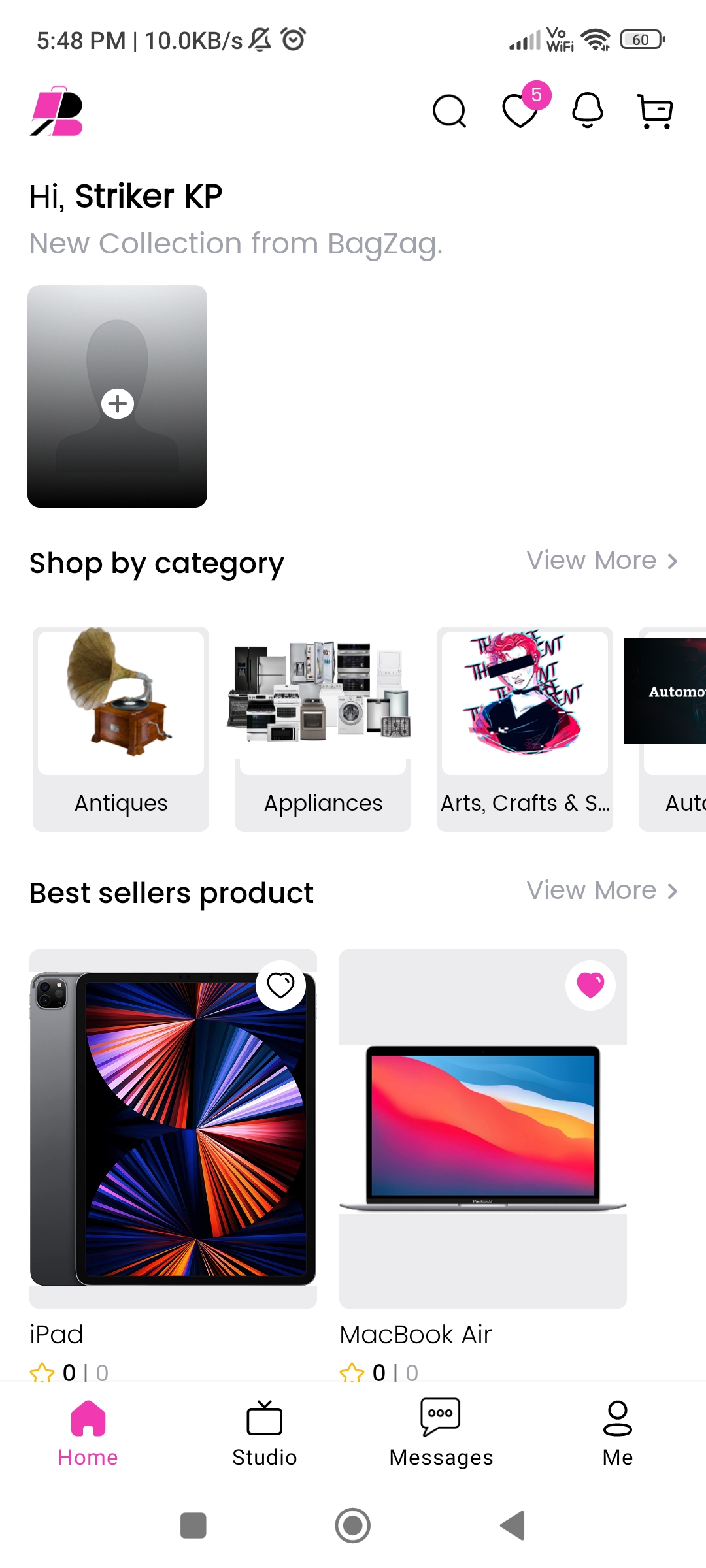
Launch BagZag on your phone and tap the Me tab at the bottom of the screen.
Your account
You can permanently erase your account and personal information from the BagZag app. Follow the four steps below. This cannot be undone.
Launch BagZag on your phone and tap the Me tab at the bottom of the screen.
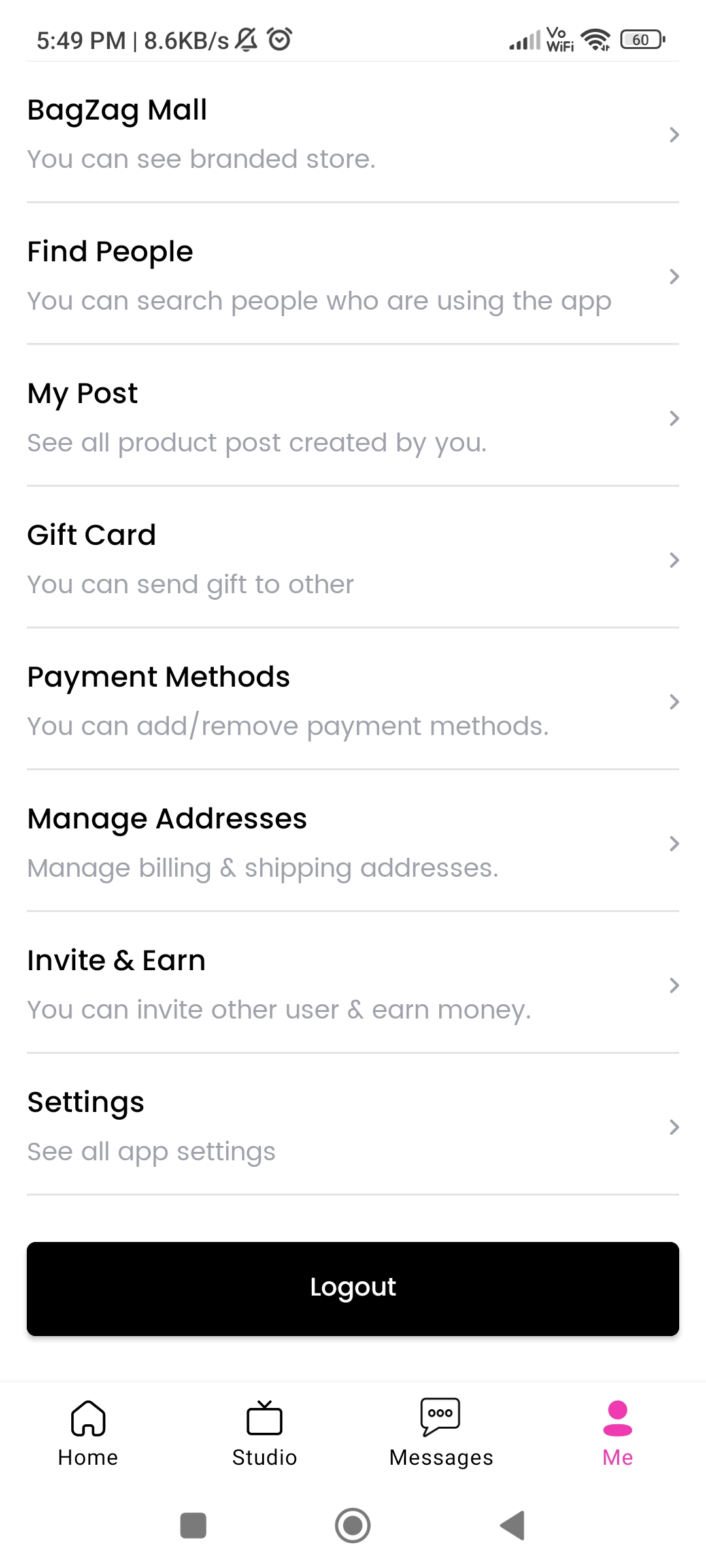
On your account screen, scroll down and tap Settings.
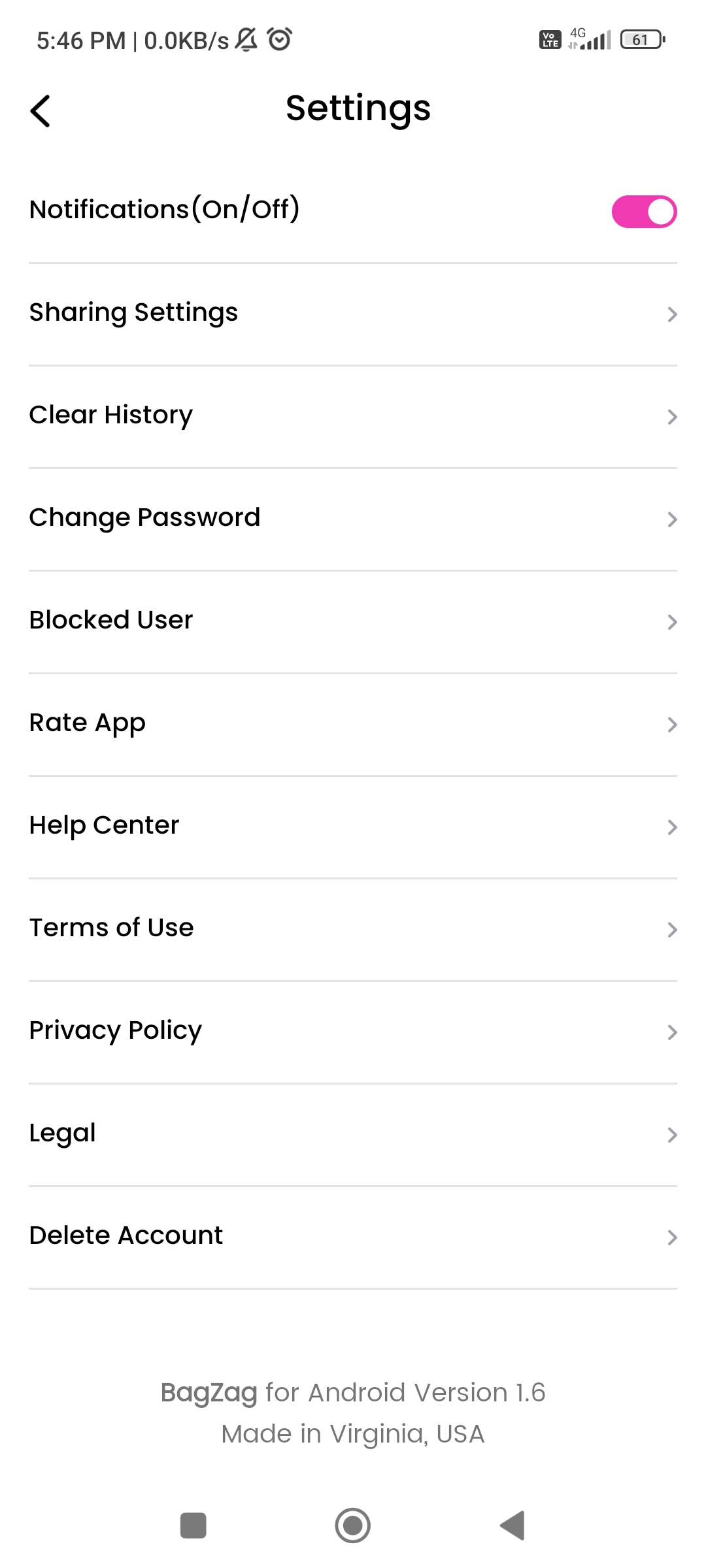
In Settings, tap Delete Account at the bottom of the list.
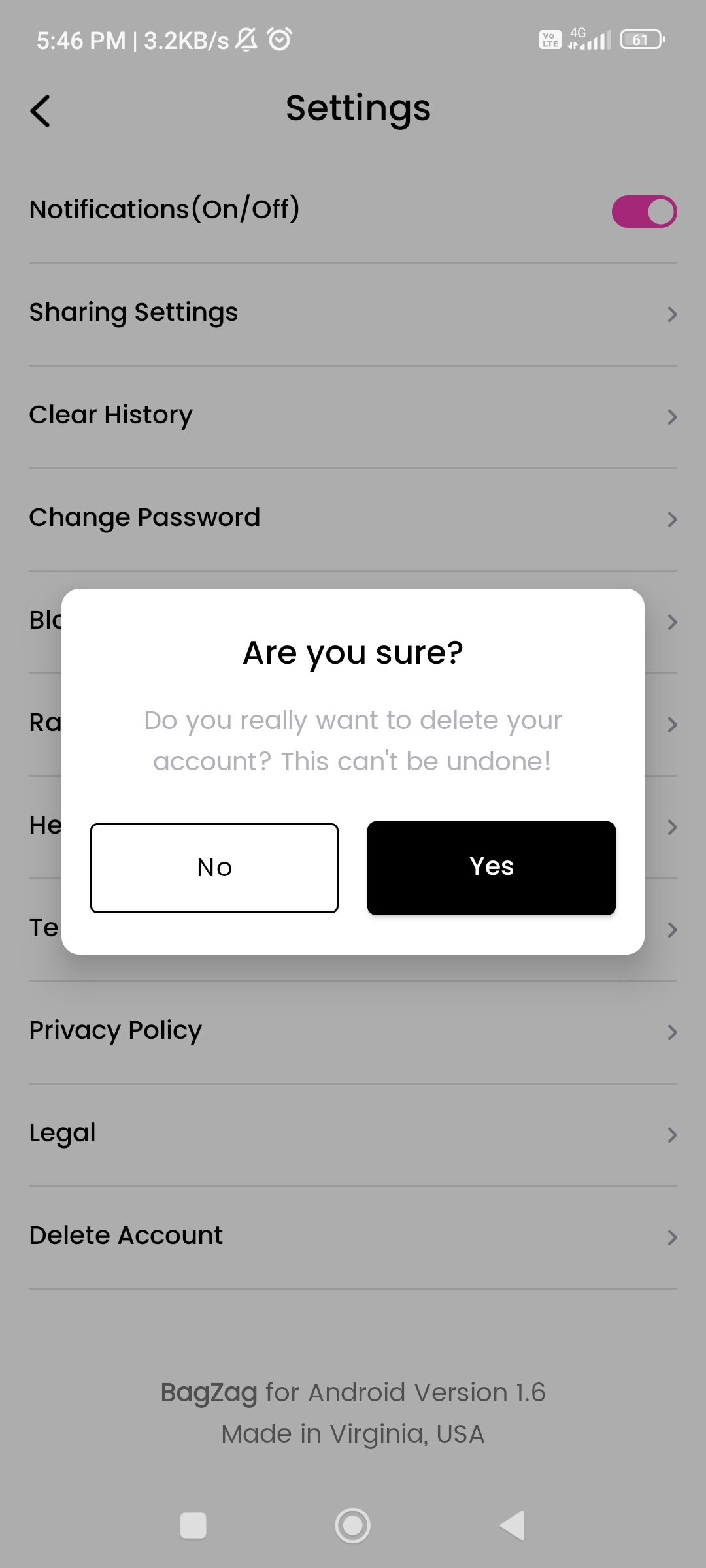
Tap Yes to confirm. Your account and the data tied to it are deleted. This cannot be undone.
BagZag · Made in Virginia, USA